- University
- NCAD, Dublin
- Year
- 2026
- Team
- 1 person
- Duration
- 12 weeks
Lugh
A voice-first AI agent for the workshop.
Lugh at work, in a maker's studio
[ In one line ]
A voice-first AI agent for independent craft makers in Ireland, handling the administrative work without asking for a screen.
Overview
A project about craft, admin, and where work gets done.
Lugh takes on the administrative side of running a small craft practice (email, quoting, time and materials, opportunity hunting) without asking the maker to leave the bench.
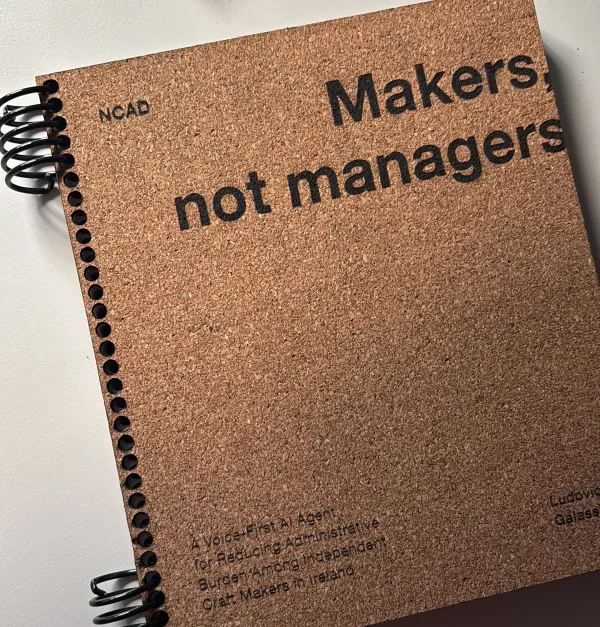
Developed at NCAD as my MA thesis, it includes primary research with working makers, an agentic system built on Claude and n8n, and a physical device made in the workshop.
Starting point
A sector that is economically significant and personally fragile.
Irish craft employs around 63,000 people and turns over €11.3B a year, but 88% of it is sole traders and micro-enterprises. Across the UK and Ireland, average craft income is under £20,000, with more than half of makers earning less than £10,000.
The gap between those two sets of numbers is where the project starts.
Research
The entrepreneurial burden of the practice.
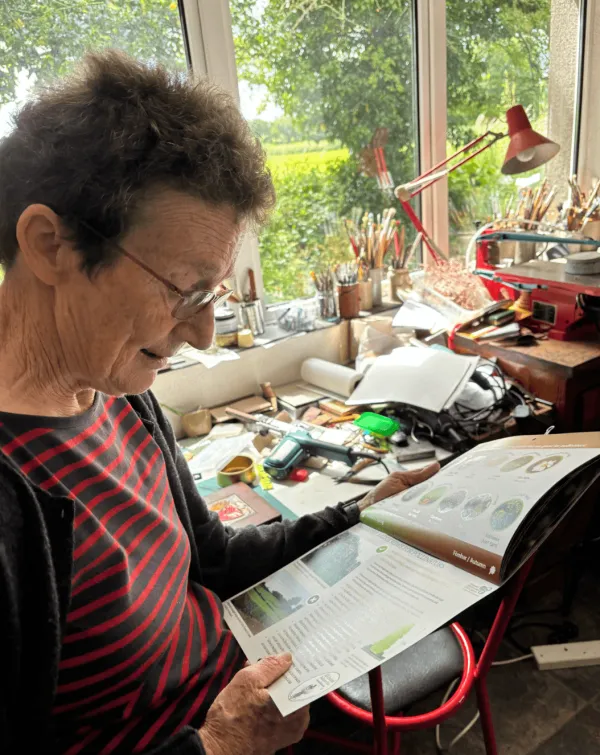
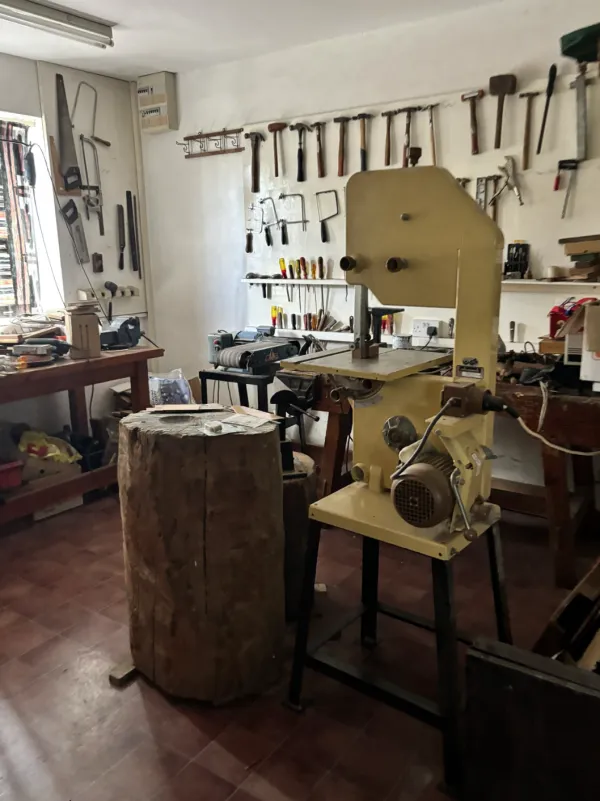
15 in-depth interviews, 20 to 40 minutes each, with craft makers and craft institutions. Working makers described two roles running from one pair of hands.
The craft was the one they had chosen and trained for. The business (quoting, invoicing, chasing open calls, tracking what a piece cost) arrived unasked and without preparation, taking its time from the same working day.
“The admin doesn't sit alongside the practice. It comes out of it.”From the maker interviews
Key insight
The problem isn't the admin, it's the context.
The screen is the interruption. Opening an app isn't neutral, it's a context switch. It pulls attention away from the material, and the return isn't free either: notifications, tabs, everything else competing for the same glance. The problem isn't the difficulty of the task. It's where it forces the maker's attention to go.
How might we
How might we support Irish craft makers with the administrative demands of running a practice, without asking them to leave the workshop for a desk-based, screen-first workflow?
The concept
An agent you talk to, that never asks you to look at anything.
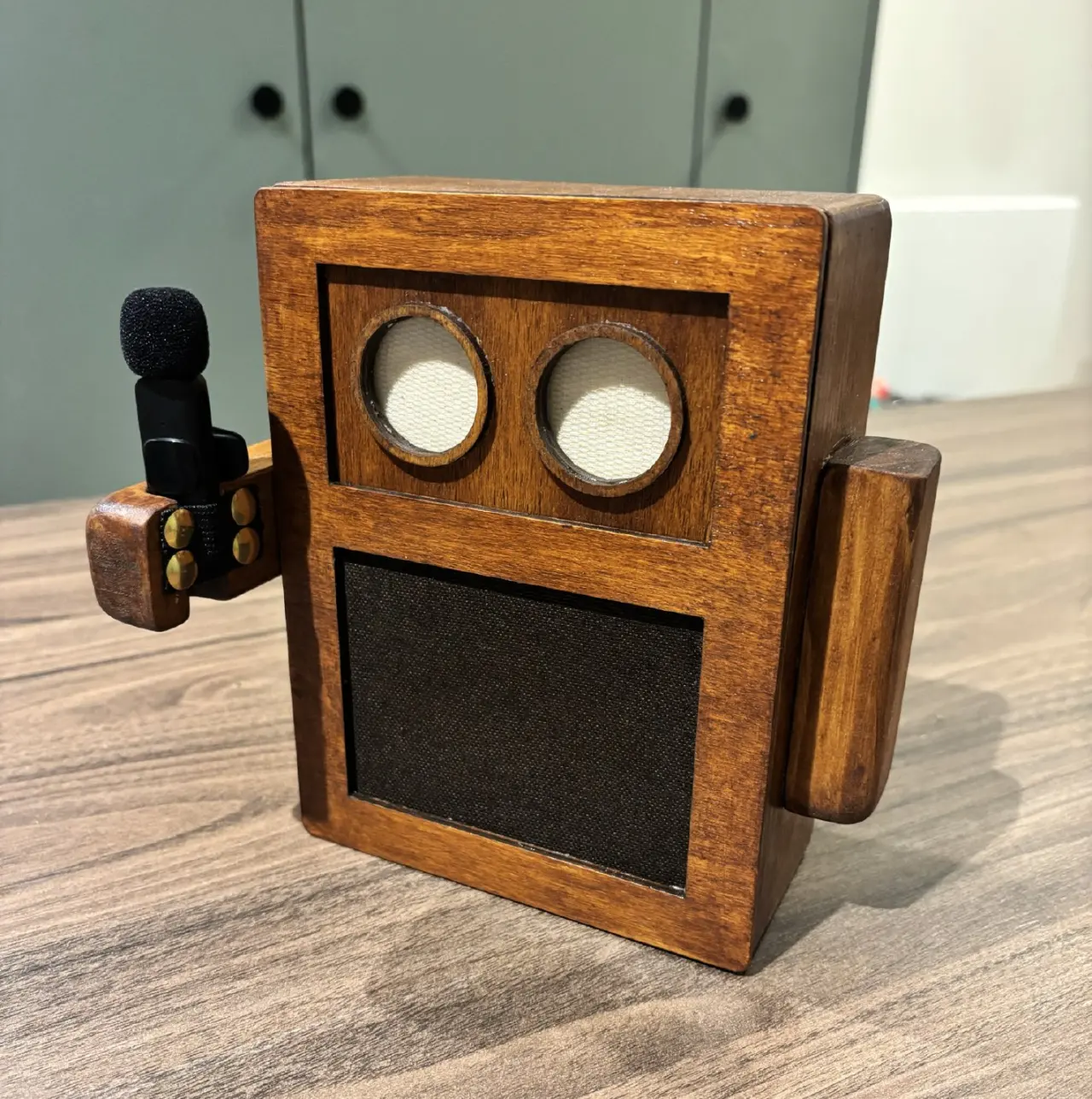
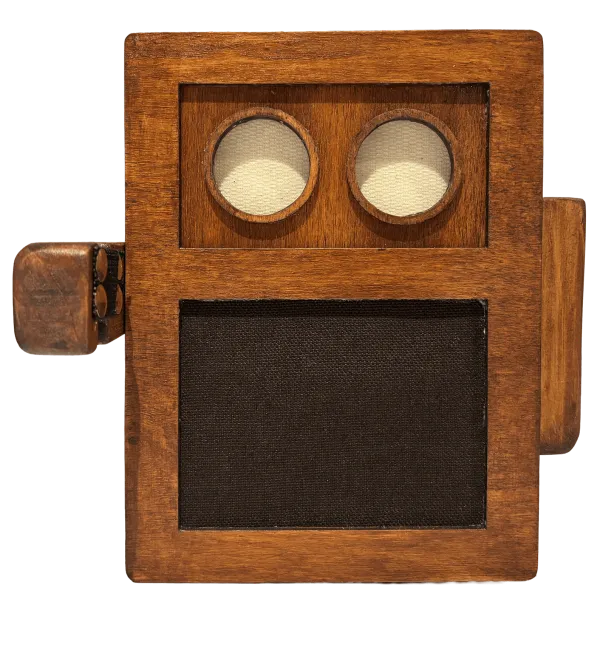
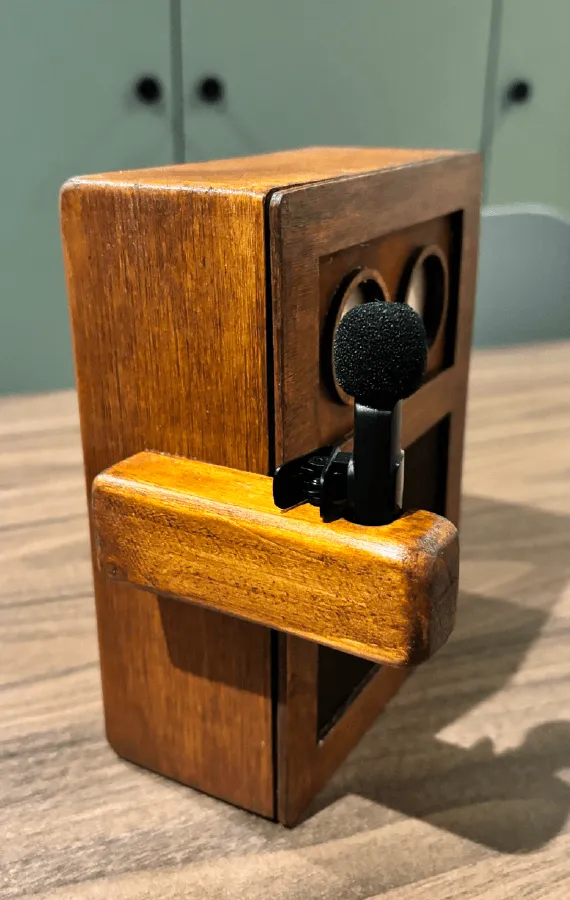
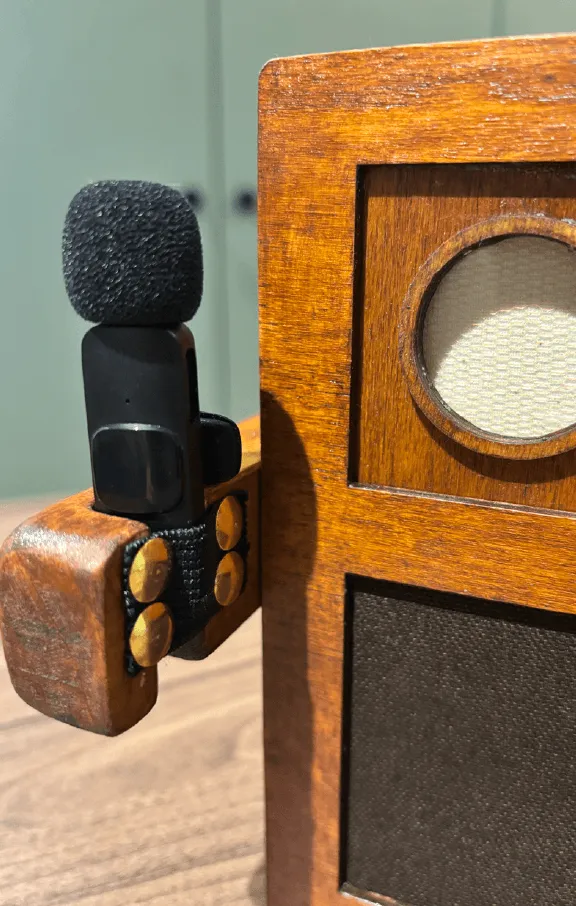
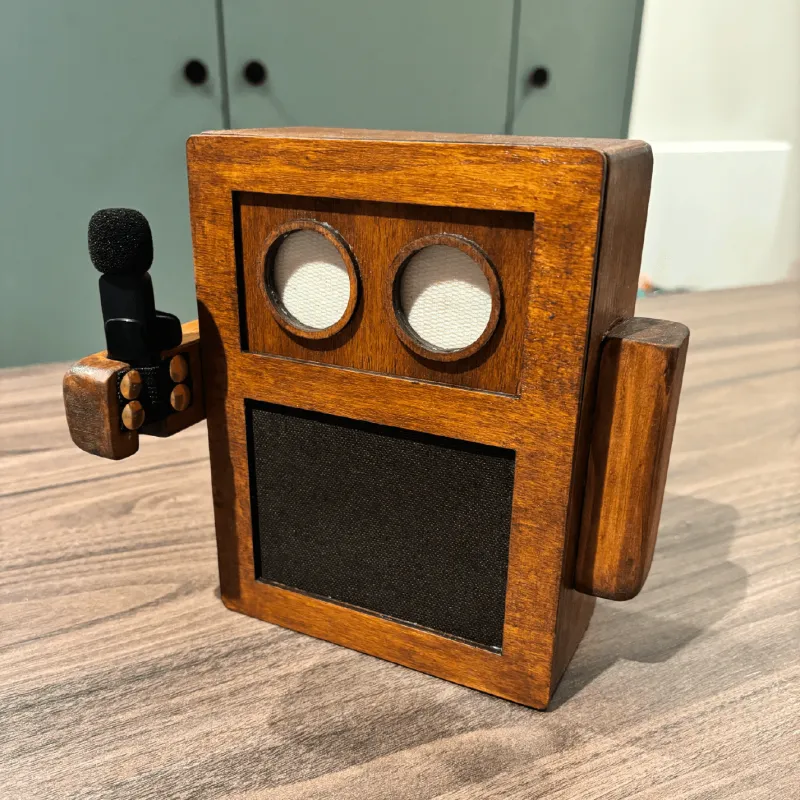
A single voice agent, Lugh, delivered through two touchpoints: a wearable clip that captures the maker's voice, and a walnut-finished wood dock that lives in the workshop, speaks back, and signals its state through ambient light. Every interaction is entirely screenless.
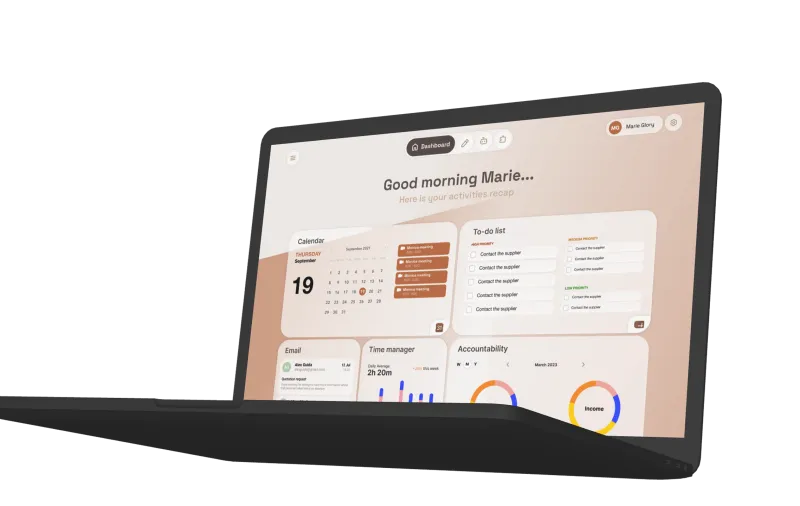
Claude sits at the centre as the reasoning layer, connected to Gmail, Drive and n8n to carry out what's asked, while a dashboard brings together everything gathered along the way for the moments the maker does sit down.

The system
Claude decides what should happen. n8n does it.
 pyAudio captures the maker’s voice
 Vosk hears the wake word and turns speech into text
 Playwright fills the chatbox with the request
 ElevenLabs turns the reply into audio and plays it
 Claude
 Google
Sheets
 Gmail
Gmail
 Google
Calendar
 Google
Drive
Each n8n workflow is triggered by Claude through MCP and backed by Google Sheets, keeping the system inspectable outside the agent. Calendar and Gmail skip n8n entirely: both are reached through Claude's native MCP connectors, since they already expose the exact actions needed as structured tools.
| Workflow | Route | What it does |
|---|---|---|
| Time tracking | n8n | Starts, stops, pauses or resumes a timer; pausing and resuming let a maker step away and pick the same timer back up rather than restarting it |
| To-do list | n8n | Adds a task, marks one done, or lists pending tasks formatted to be spoken aloud |
| Opportunities finder | n8n | Runs on a daily schedule rather than on request. Pulls listings from DCCI, Feltmakers and OLIST, merges and deduplicates them, and saves only new entries |
| Accountability: data entry | n8n | Logs new projects, costs, revenues and fixed costs |
| Accountability: data query | n8n | Reads that data back, from a project summary to a running list of fixed costs |
| Invoice generation | n8n | Fills a Drive template with company and invoice details, exports it as a PDF, and logs the new invoice |
| Calendar | MCP (Claude) | Checks today’s schedule, creates or updates events |
| Gmail | MCP (Claude) | Reads a message, drafts a reply, sends once confirmed |
The split is invisible to the maker. Both routes are the same spoken exchange with the same agent.
The dock
Built as a workshop tool, not a tech object.
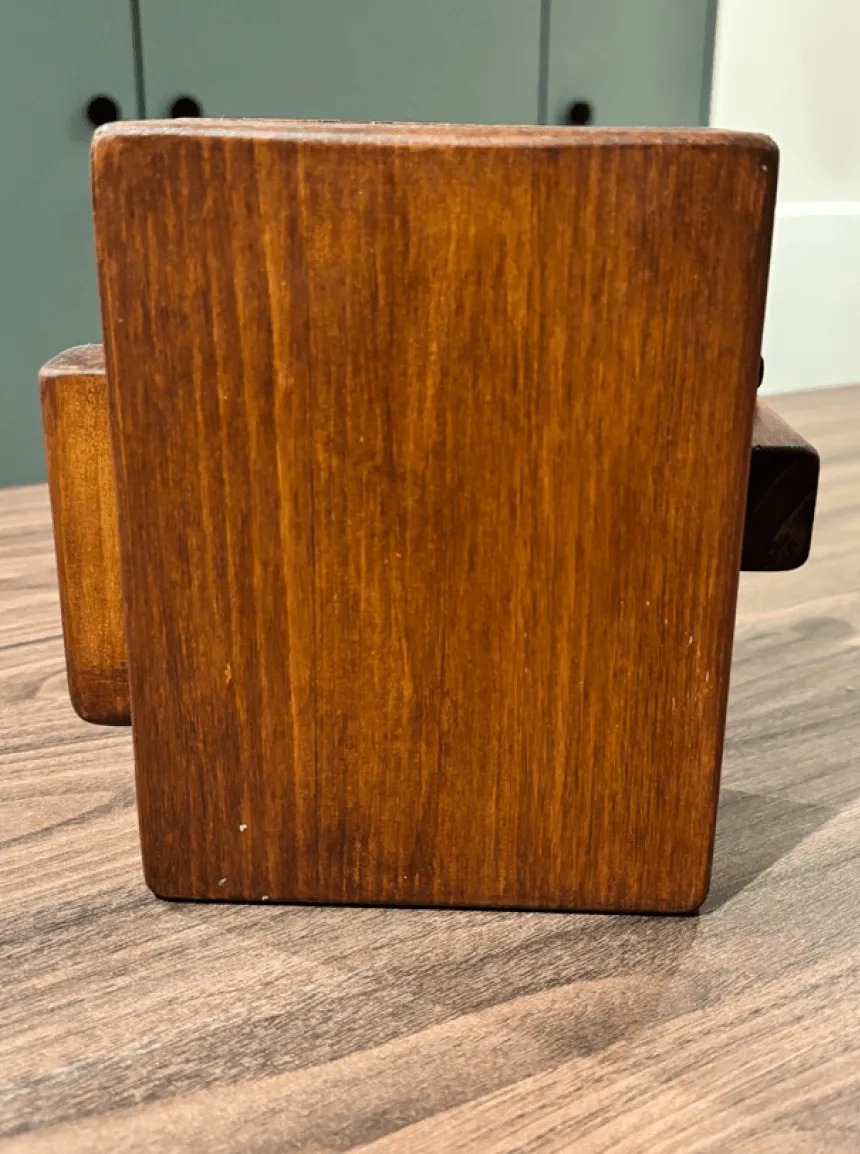
Pine, mitred at forty-five degrees so the seams disappear, walnut stain, fabric over the speaker and the acrylic eyes. Speaker, micro:bit, battery and LED rings under a removable face, running with no cables at all.
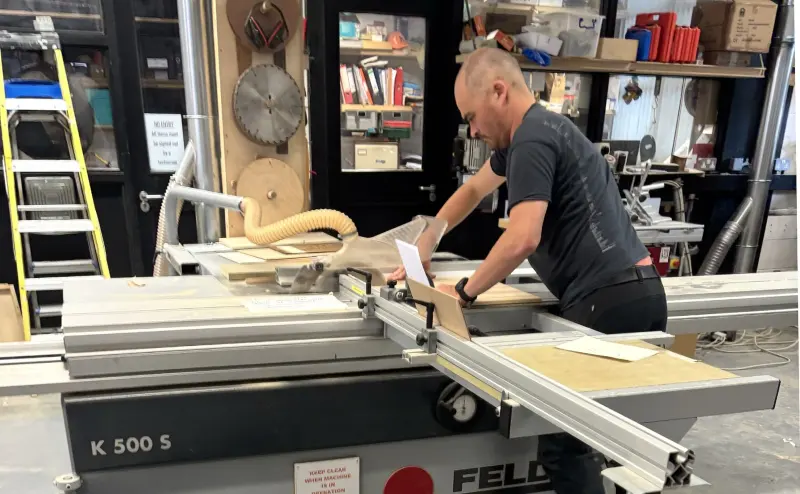
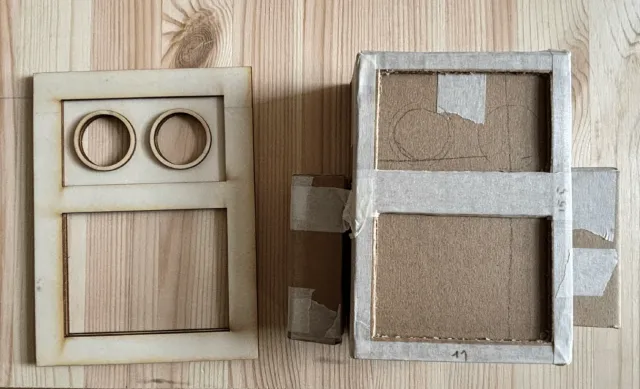
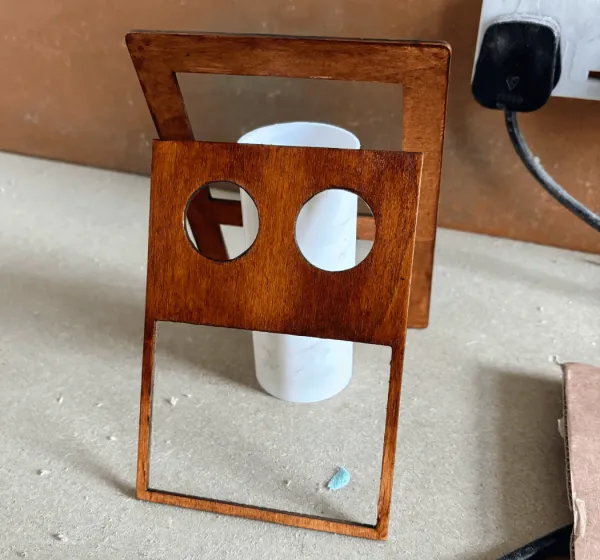
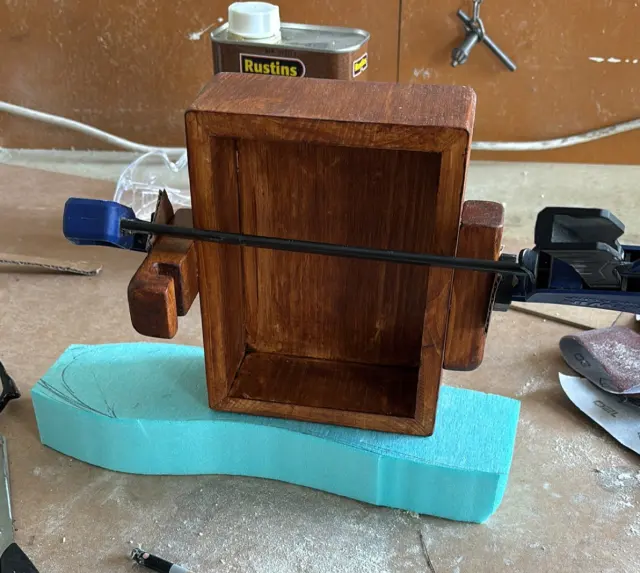
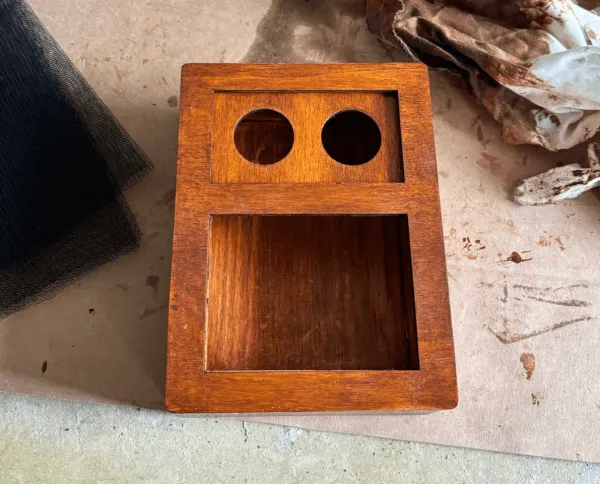
Closer to a small robot than a speaker. An object with a face asks for permission more honestly.Makers are protective of their space
What the eyes say
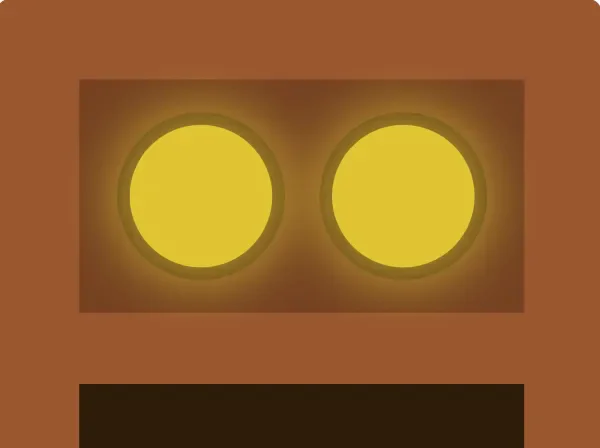
A yellow light pulses very slowly.

The light is orange, and it blinks more frequently, alternating between the two eyes.
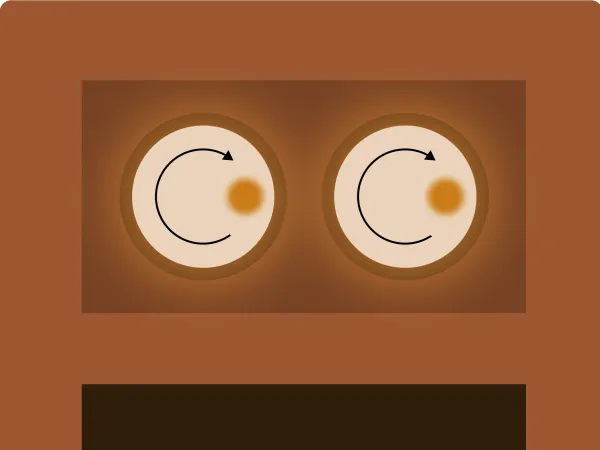
A single orange LED chases around the ring, like a loading spinner.
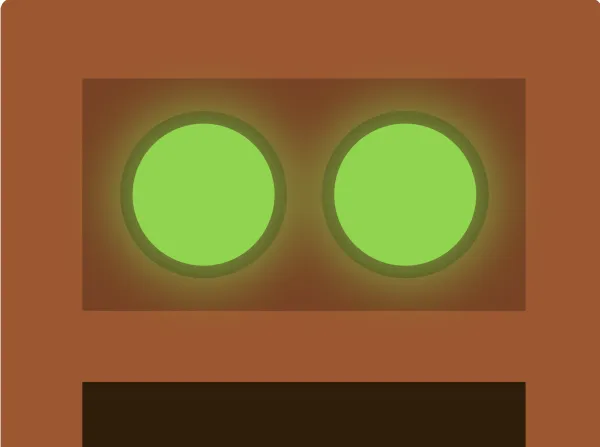
The light turns green and pulses.
The dashboard
A secondary support, not where the work happens.
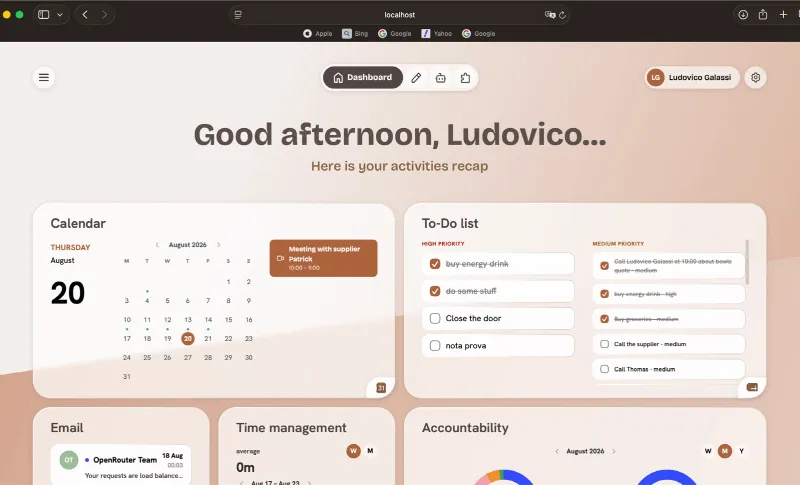
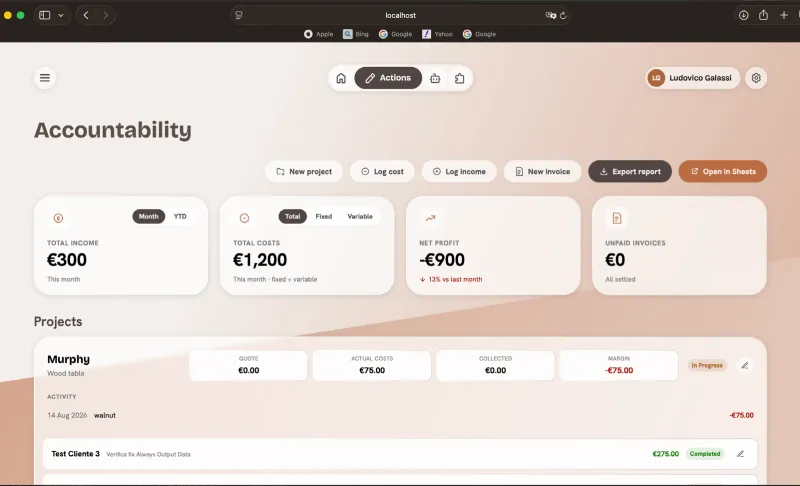
The primary workflow belongs at the bench. But the agent accumulates things worth looking at, and every maker eventually sits down. Every section traces back to a research finding: the pricing uncertainty that kept coming up in interviews produced both the time tracking and the accountability section.
Beyond checking in, the dashboard is where the maker can review what the agent logged and correct it by hand: fixing an entry, editing a record, or entering something the agent missed.
[ Site map ]
Voice Agent Dashboard
Topbar · Navigation · Profile · Settings
Dashboard
Home · Overview- 1.1
Greeting
Dynamic greeting message
- 1.2
Opportunities preview
Visibility · Grants · Others columns
- 1.3
Calendar widget
Month grid, selected day and session count
- 1.4
To-do widget
Preview of pending tasks
- 1.5
Hours chart
Hours-worked ring + legend
- 1.6
Accountability rings
Costs / revenue rings with month navigation
Actions
Hub: workspace picker- 2.1
Accountability
- Tabs: Projects · Costs · Invoices
- Costs: fixed/variable, filter, export
- Invoices: list + income toggle
- Edit-project modal
- 2.2
Calendar
- Month / Week view
- Day grid + events
- Upcoming events
- Month navigation
- 2.3
To-do list
- High / Medium / Low columns
- Task-completion checkboxes
- Previous (completed) list
- 2.4
Communications
- Main list
- Starred list
- Instagram, Gmail, WhatsApp navigation bar
- 2.5
Time manager
- Tabs: Stats · Tasks · Projects
- Period: Week / Month / Year / Custom
- Task & project charts
- Min/max stats per task & project
- 2.6
Opportunities
- Visibility · Grants · Others columns
- Starred / Past filters
- Per-site filters
- Archive opportunity
Agent
Voice assistant: Lugh- 3.1
Chat with Lugh
- Message thread
- Text input field
- Send message
- Voice input (microphone)
- 3.2
Quick actions
- “Give me an overview”
- “New project”
Extensions
Google integrations- 4.1
Gmail
- Connection status
- Detail panel
- Recheck connection
- 4.2
Google Calendar
- Connection status
- Detail panel
- Recheck connection
- 4.3
Google Sheets
- Connection status
- Detail panel
- Recheck connection
- 4.4
FAQ
- Why share Sheets with a service account?
- Why did Gmail/Calendar stop working?
- What is n8n and why does it matter?
- Is everything here data?
- How do I revoke access later?
- 4.5
Video walkthrough
- How to connect Gmail, Calendar, Sheets, n8n
- Onboarding help
Wherever a card shows data from Gmail, Calendar or Sheets, an “Open in Gmail”, “Open in Calendar” or “Open in Sheets” button sits beside it. The dashboard was built to complement those tools, not replace them, so a maker who wants the real thing is always one click away from it.
The branding
A palette drawn from the object itself.
Lugh, the Irish god of crafts and master of every trade. A name from the tradition, not the technology.
The identity was drawn out of the object rather than applied to it. The logo is a minimal side profile of Lugh, holding out the microphone.


Testing
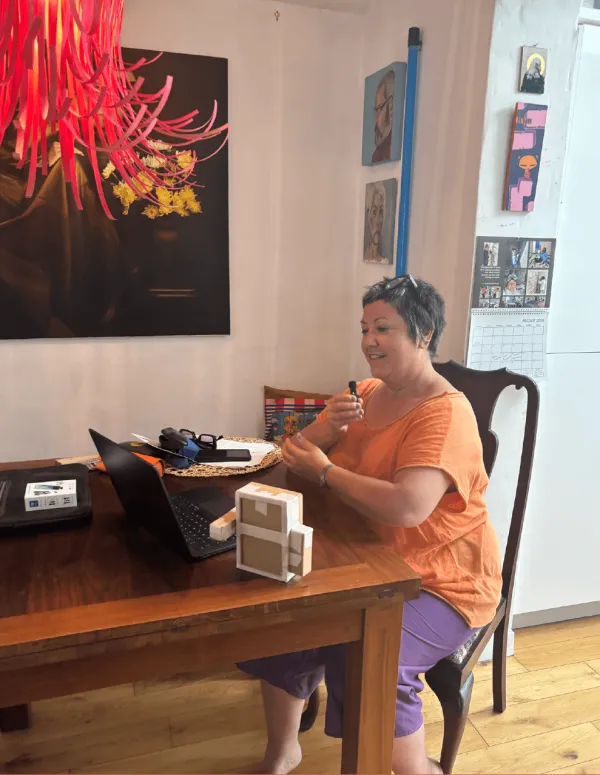
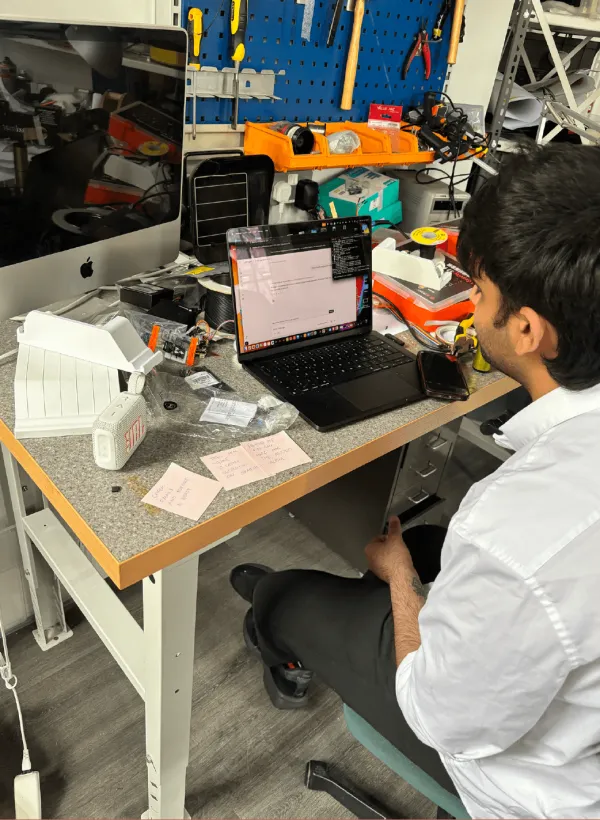
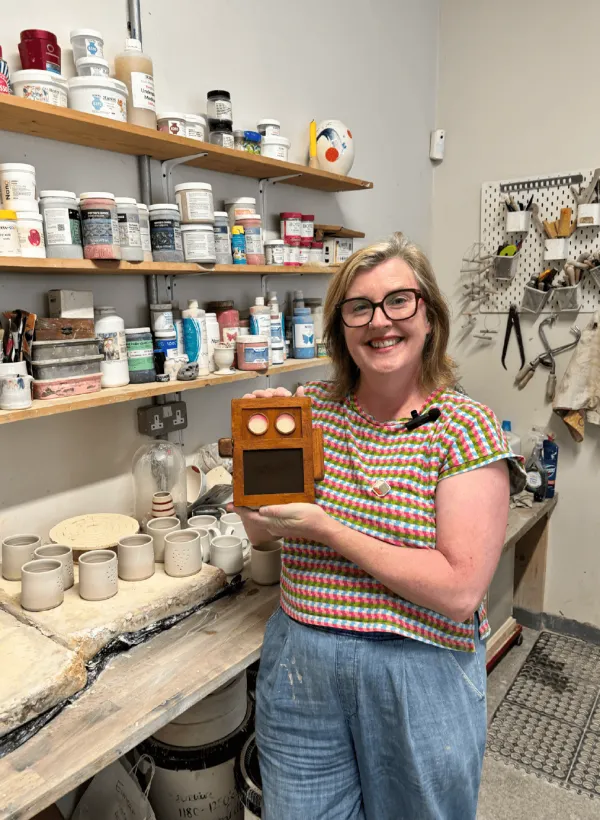
Three rounds, alongside three prototype stages.
Final design
Lugh.
Reflections
Next steps.
The dock itself could be tailored to the maker, proportions and materials adapted to a ceramicist's studio, a leatherworker's bench, a jeweller's desk, so the object fits the practice rather than the practice adapting to it.
More broadly, the same agentic approach (screenless, voice-first, nothing acted on without confirmation) isn't specific to craft.
Within the current system
- 01An operational Agent page, so the dashboard becomes a real point of contact rather than a display.
- 02Reminders tied to curing and firing times.
- 03Deeper integration with the invoicing tools makers already use, rather than the project's own Sheets-based system.
Thesis book
Design Rationale.
A full design rationale documents every research phase, design decision and technical choice behind Lugh in depth.
[ In the end ]
Any trade where the work happens with the hands and the admin happens somewhere else carries the same burden, and could carry the same kind of agent.